
If you’re wondering how to search Google reviews by name, the process is quite simple. You may be looking for feedback on a specific service or detail and want to see what customers have mentioned in their reviews on a particular Google Business profile. Here’s how you can easily find that information.
Step by Step Guide on how Google Reviews Search By Name is performed:
Step 1 :
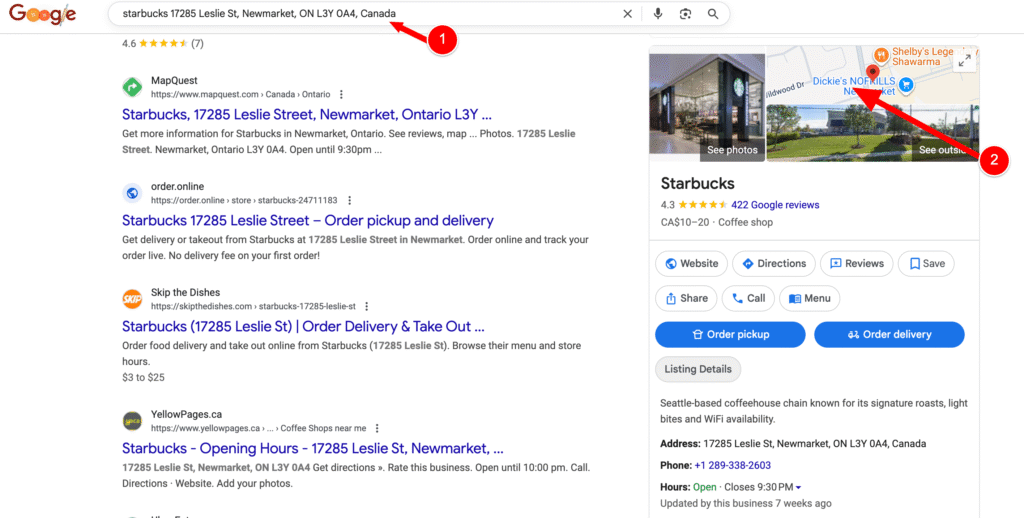
On Google, type the exact name of the business in the search bar. If the business has more than one location, include the address to make sure you find the correct listing. This will display the business profile along with its complete details and reviews.
Step 2 :
Click on the map section displayed at the top, just above the business name, to open the full business listing.
Step 3 :
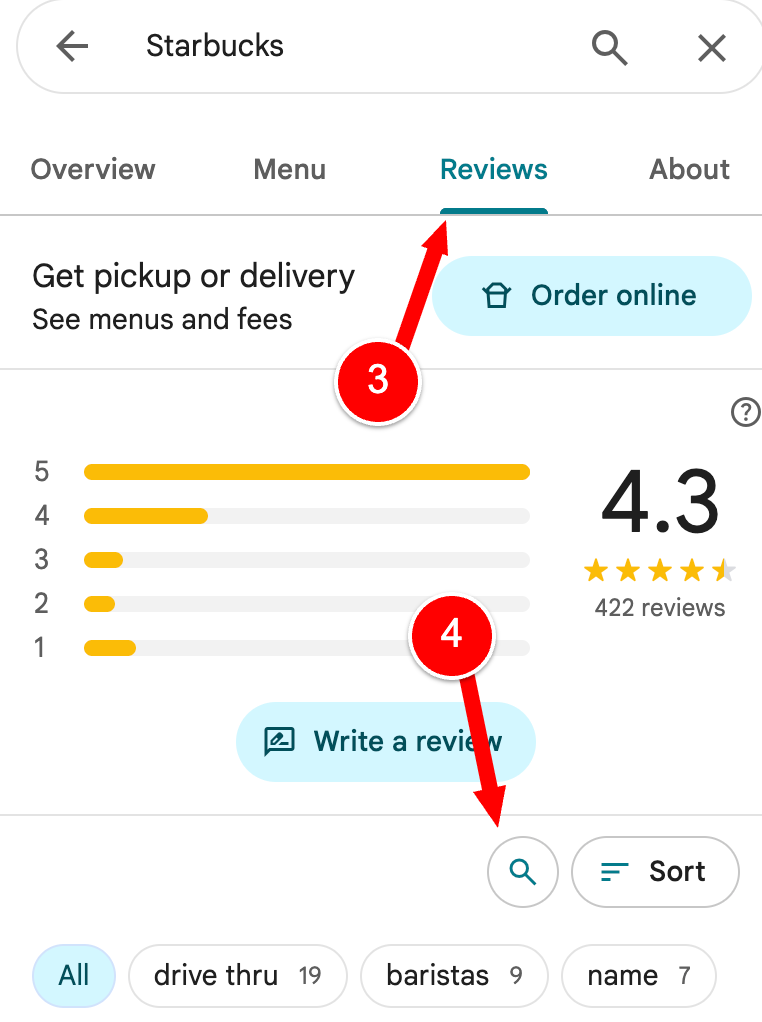
This will redirect you to Google Maps. Once there, click on the Reviews tab to view customer feedback.
Also Check: A updated list of Indian scammer numbers 2026.
Step 4 :
On that page, you will notice a search icon that allows you to look for specific keywords within the reviews.
Step 5 :
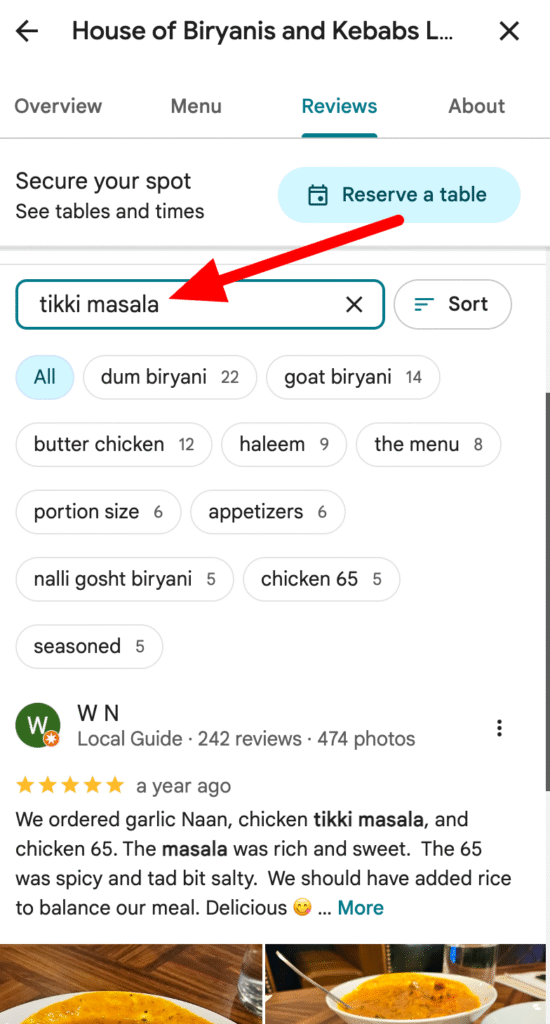
Enter the keyword or phrase you want to check, and Google will display any matching mentions found within the business’s reviews.
Conclusion
Searching Google reviews by name is a simple and effective way to find specific feedback about a business. Whether you are checking opinions about pricing, customer service, product quality, or a particular experience, using the built-in review search feature helps you quickly filter relevant information. By following the steps above, you can easily locate the insights you need and make better, more informed decisions before choosing a business.